
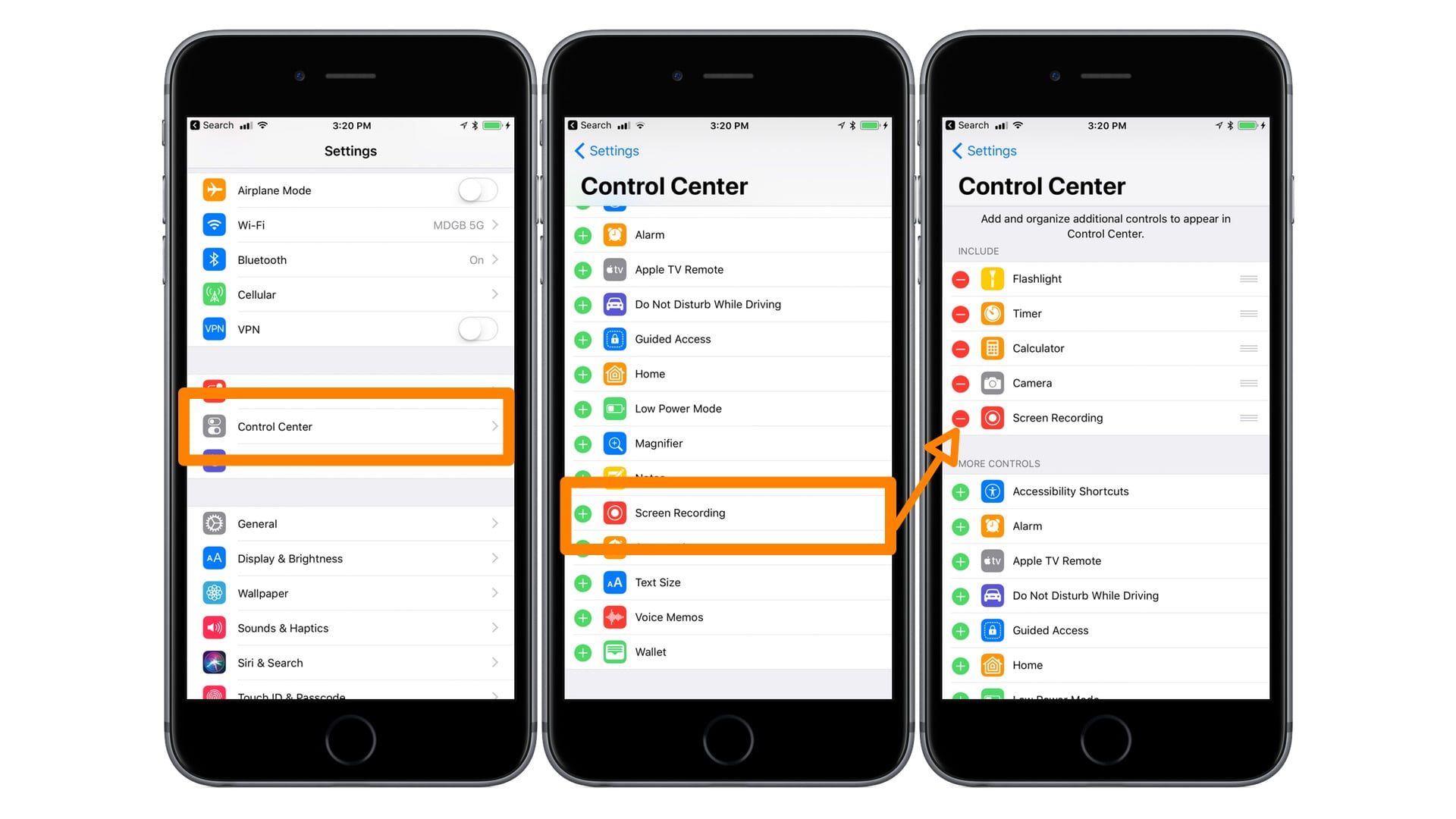
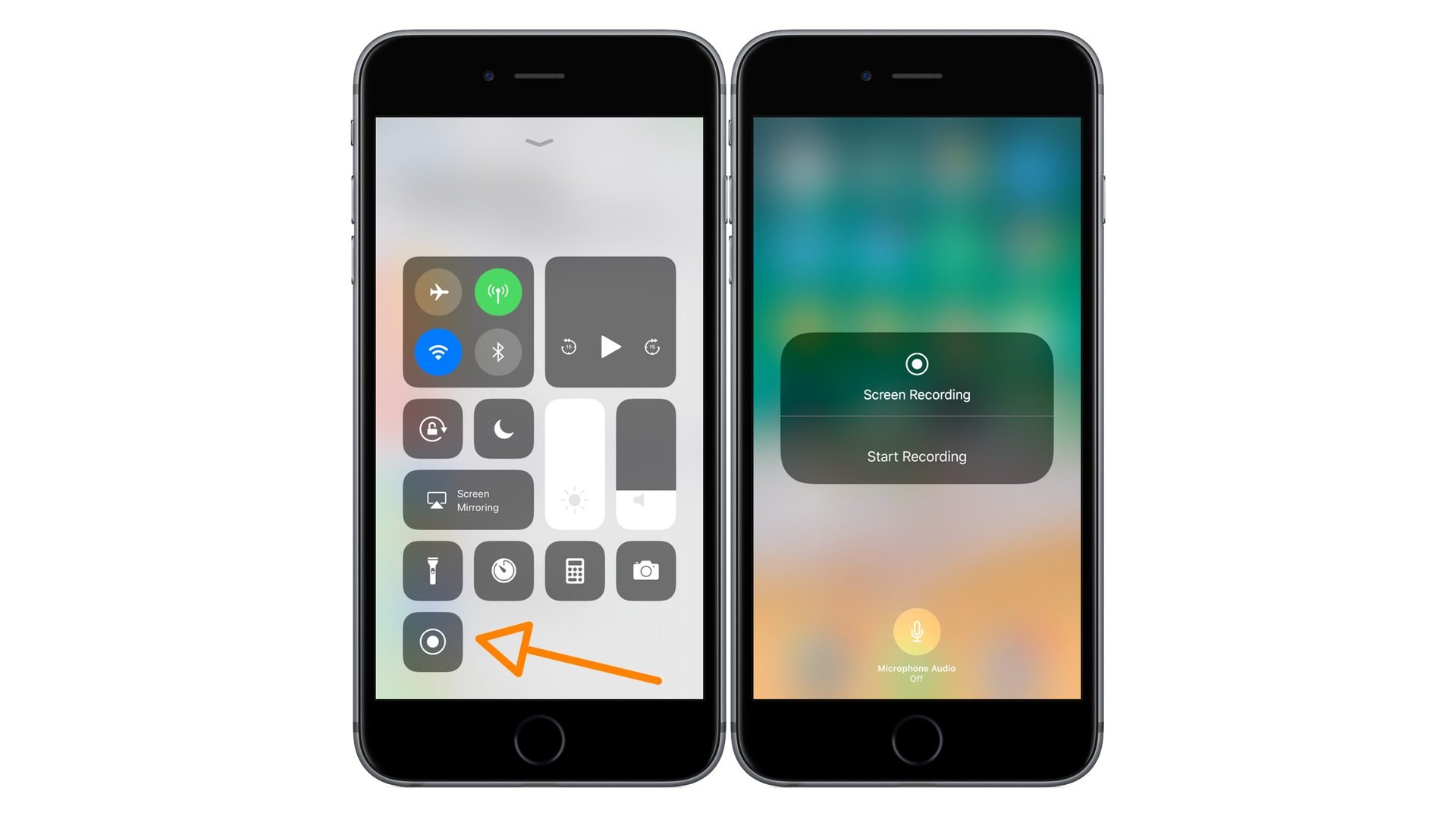
Once you successfully add the Screen Recording Feature to the Included Controls of the iPhone or iPad, you may launch Control Center by swiping down and then click the Round “Record” button as shown.
Once you complete the process of recording your screen, you can turn off screen recording as shown in the following video.